A brief that works
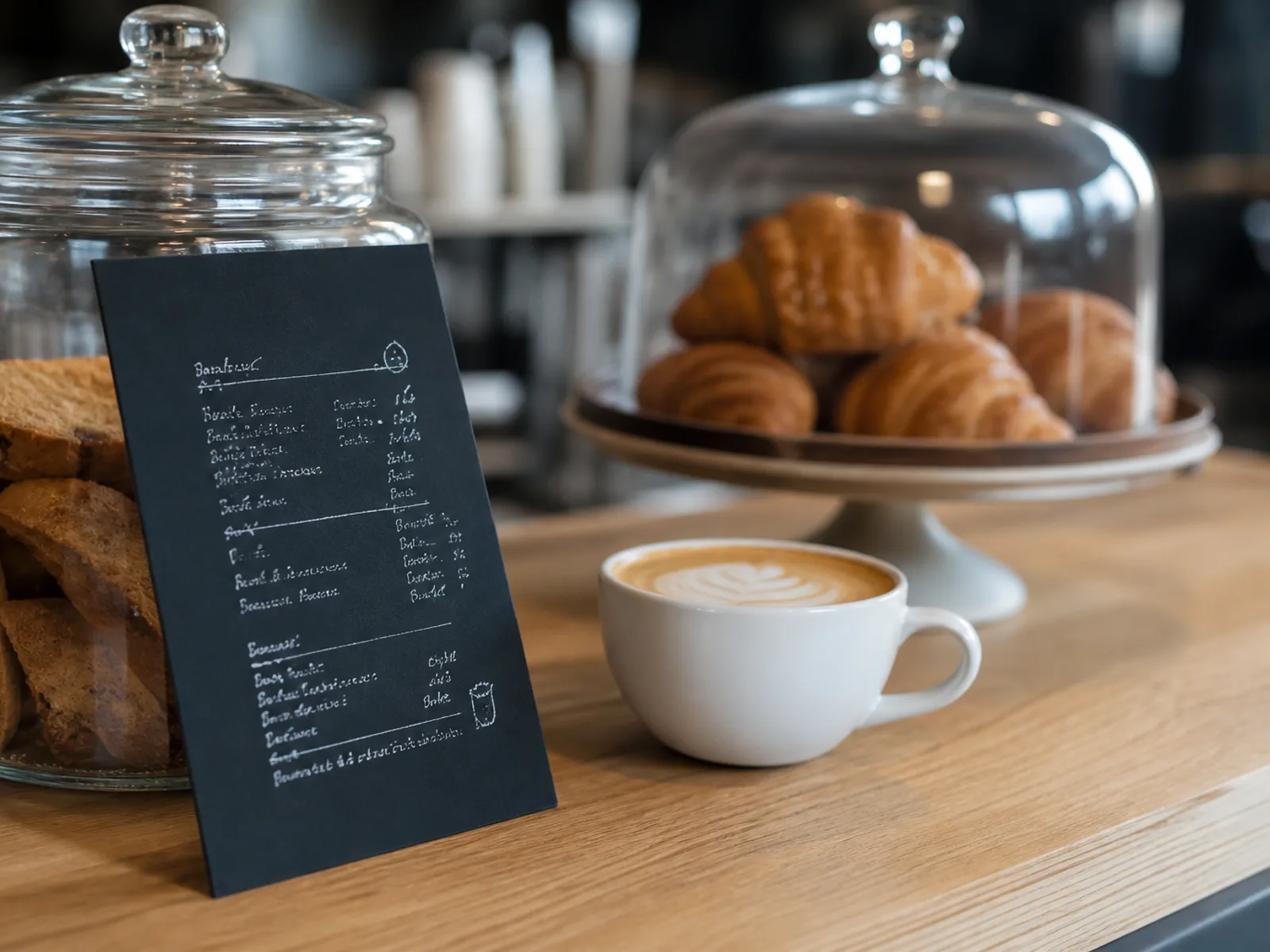
Paste it as is, or use it as a starting point and describe your own room.“Specialty coffee shop, dark slate background with cream chalk lettering, a drinks grid with sizes and prices, pastries listed with a small croissant ornament, cosy and hand-drawn feeling.”
Drinks are a grid, not a list
Coffee menus need columns: small, medium, large; oat, soy, regular. Ask for a drinks grid and the AI lays out a table-like block with aligned prices that scans from across the counter.
Counter cards that match the board
Design once, print in two formats: an A4 or A5 card for the counter and a portrait single sheet for the window. Both faces come out of the same design source, so the lettering and colours match.
Seasons change, the layout stays
Pumpkin spice in October, iced drinks in June. Edit the seasonal section and re-export for free. Cafés often keep a laminated A5 base menu and print a small seasonal card every quarter.
Tips for this venue
- ✦ Type prices as '3.20 / 3.80 / 4.20' for sizes; the parser reads them as a grid.
- ✦ Upload a photo of your latte art or your counter; the AI matches the wood and ceramic tones.
- ✦ Ask for 'hand-drawn ornaments' to get vector coffee beans, steam and croissants in your palette.
- ✦ Print 5 to 10 counter cards on 350 g board; guests handle them a lot.
Common questions
Yes, ask for a grid in the brief or type prices separated by slashes. Sizes become columns with aligned prices.
Yes. The export uses a rich dark background with cream text; on 350 g matte board with lamination it looks like a real slate.
Yes. Duplicate the menu, switch the format to A5 or A4, and the layout reflows without losing the design.