Trifold vs bifold menus: more faces, more problems?
A designer's comparison of trifold and bifold restaurant menus: panel widths, reading order, paper weight, fold cracking, cost, and which venues each format actually suits.
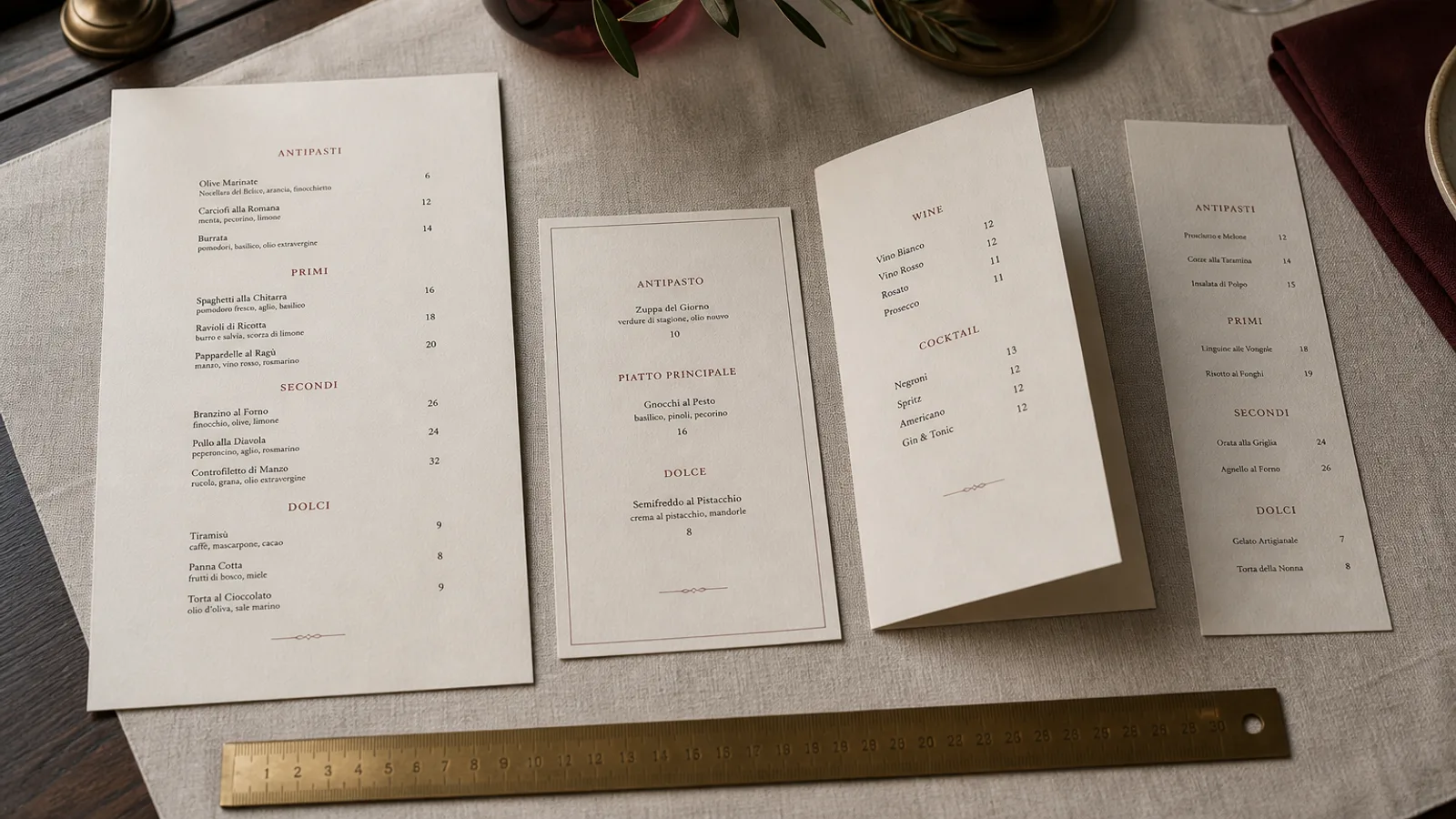
Six faces instead of four sounds like a straightforward gain, which is why the trifold keeps being proposed for menus that have outgrown a bifold. In practice, the trifold is a brochure format that was borrowed by restaurants, and it carries brochure problems onto the table: narrow panels, an ambiguous reading order and a fold that fights heavy board. This is a side-by-side comparison so you can decide with numbers rather than instinct.
What each format actually is
A bifold is one sheet folded once: four faces, each the size of the closed menu. An A4 bifold closes to 210 × 297 mm from a 420 × 297 mm sheet. A trifold is one sheet folded twice into three panels, either as a roll fold (the panels wrap inward, the inner one 2 to 3 mm narrower so it tucks) or a Z-fold (accordion, all panels equal). The classic trifold is an A4 sheet folded to roughly 99 × 210 mm, the DL size that fits a long envelope.
That 99 mm panel width is the first thing to notice. A bifold A4 page is 210 mm wide; a trifold panel is less than half that. A line of body text at 10.5 pt comfortably holds 55 to 65 characters on the bifold page and 25 to 30 on the trifold panel. Dish names with descriptions wrap to three or four lines, and prices end up either crammed next to the text or pushed to a second line.
Reading order: obvious versus negotiated
Open a bifold and there is nothing to work out: a left page and a right page, read like a book. Open a roll-fold trifold and the guest sees the cover, then a single panel when they open the first flap, then the full three-panel interior. The panel revealed first is the inside flap, which most designers fill with something secondary, so the first thing a guest reads is often the least important content. Z-folds avoid the flap but present six equal panels with no cue about where to start.
For a menu, where the whole point is to get from starters to mains in a predictable path, this matters. Section headings can guide the reader, but every extra decision the guest has to make is a second not spent on the dish you want to sell. The bifold wins on reading order without contest.
Paper, folds and how the menu ages
A menu wants heavy board, 300 to 350 g, so it can be held in one hand and survive a few weeks of service. Heavy board and a trifold are a poor match. Two folds double the cracking risk, the roll-fold tuck requires the inner panel to be trimmed narrower, and a 350 g sheet folded twice springs open on the table unless the creases are very deep. Trifolds work best at 170 to 250 g, which is brochure weight, and at that weight a menu feels flimsy.
- Bifold on 350 g: one crease, lies flat when open, closes to protect the inside, holds in one hand. The standard.
- Trifold on 350 g: two creases that need matrix scoring, tends to spring open, thick at the spine when closed. Rarely worth it.
- Trifold on 200 g: folds cleanly and stays shut, but curls in humid rooms and shows wear after a week on tables.
- Z-fold on 300 g: the most practical trifold for a menu, since equal panels avoid the tuck; still six narrow columns.
Cost and reprints
Both formats use the same sheet, so paper cost is identical. The trifold adds a second creasing and folding pass, which on short digital runs is a fixed charge of roughly 15 to 40 € per job, plus the extra handling time. On a run of 30 menus it can add 20 to 30 % to the price. More importantly, a trifold is harder to reprint partially: on a bifold you can reprint the inside spread alone if the cover is stable, while on a trifold the interior is the entire sheet.
Where a trifold does make sense
There are honest uses. A takeaway menu that has to fit in a coat pocket or a letterbox is exactly what the DL trifold was designed for; here the narrow panels are a feature, and 170 g paper is fine because the menu is disposable. A tall counter card for a coffee bar, with drinks on one panel, food on another and a loyalty stamp grid on the third, uses the panels as natural sections. A bar list with cocktails, wines and spirits also maps neatly onto three panels.
In each case the content divides into three roughly equal, independent lists, and the reader is expected to scan rather than read in sequence. That is the test: if your menu is three parallel lists, a trifold is a candidate. If it is one meal in order, it is not.
Choosing without regret
- Count your content. Up to 28 described dishes fit an A5 bifold; up to 50 fit an A4 bifold. A trifold does not add capacity, it redistributes it into narrower columns.
- Decide the reading pattern. Sequential meal: bifold. Three parallel lists or a pocket format: trifold.
- Pick the board first. If you want 300 g or more, the trifold is out unless you accept a Z-fold and very deep creases.
- Prototype both on your printer, fold by hand and put them on a table. The panel width problem is obvious in thirty seconds.
The bifold remains the default for a reason: it matches how people read a meal, it folds cleanly on the heavy board a menu deserves, and it lets you reprint the part that changes. Menu Atelier offers single sheet and bifold in A4 and A5, printed on 350 g board with a pressed fold, and switching between them is one click with a 3D preview, so you can see the closed and open menu on a table before deciding; if your content is really three parallel lists, a single-sheet layout with three columns is usually the better answer than a trifold.