PDF, PNG, GLB, JSON: what each menu export file is for
A print bundle is more than a PDF. What the 300 dpi print file, the PNG faces, the 3D model and the editable source each do, and which one to send where.
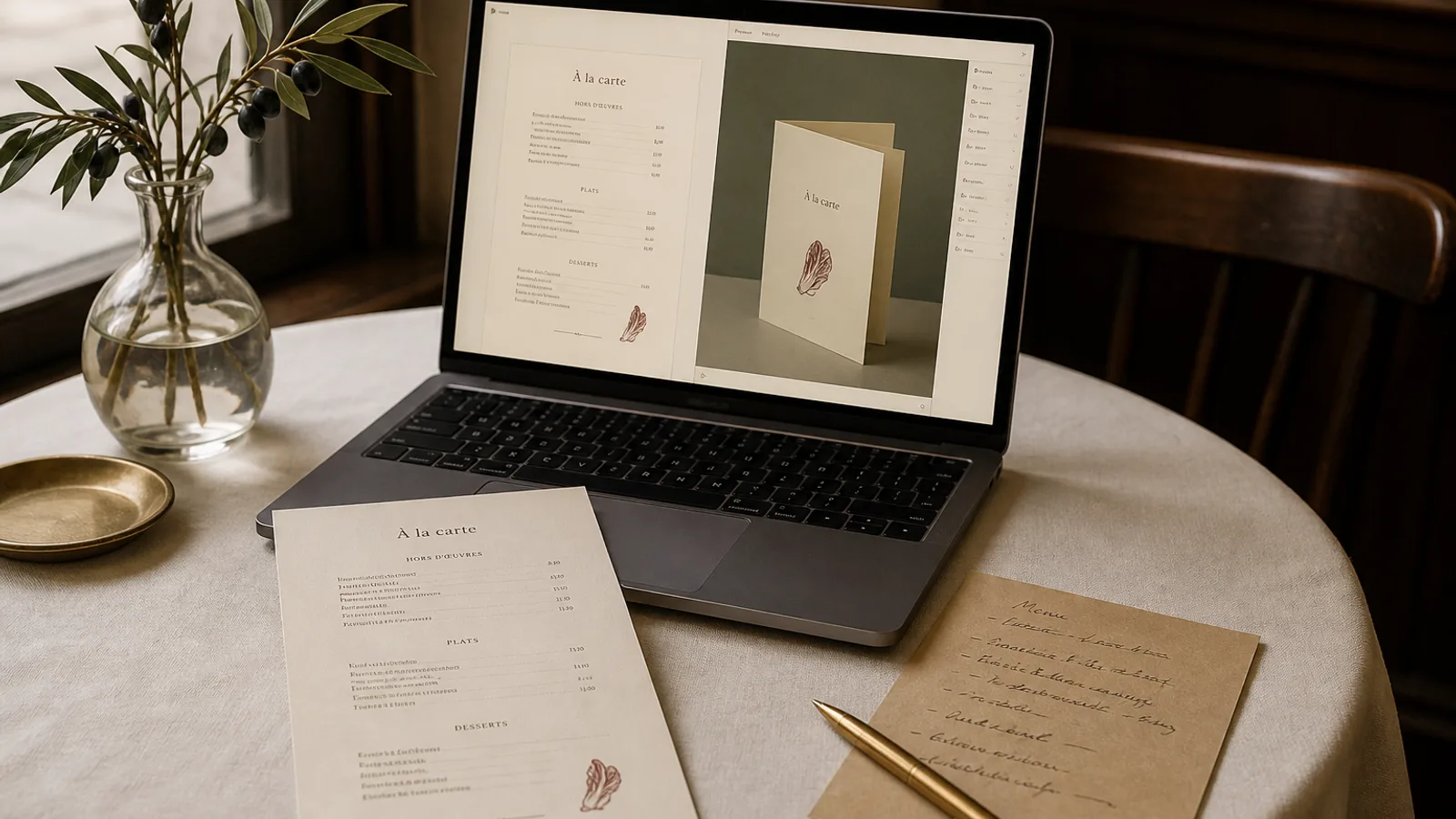
Owners ask for "the PDF" as if a menu were one file. A working restaurant needs four kinds of file, and sending the wrong one is how a social post goes out blurry, a reprint loses last week's edits, or a 3D preview cannot be opened on a colleague's laptop. This article names each export, what it is for, and the one mistake that belongs to that format. If you only remember one rule: print from the PDF, post from the PNG, archive the source.
The print PDF: 300 dpi, CMYK, bleed, crop marks
This is the file that becomes paper. It should be PDF/X-1a or a plain PDF with fonts embedded, colour converted to CMYK (Fogra39 / ISO Coated v2 is the usual European target for coated board), pages at trim size plus 3 mm bleed on every edge, and crop marks outside the bleed. Type is outlines or embedded, never a missing Helvetica substitution. Images, if any, sit at 300 dpi at the size they print. A QR code is at least 20 mm across.
Do not send this file to Instagram. Do not open it in a browser, screenshot it, and call that the web version. The bleed will show as a dirty edge and the crop marks will appear in the frame. Do not edit prices in a print PDF unless you enjoy rebuilding the design next month. The print file is an output, not a source.
PNG per face: the picture of the card
A PNG of each face, trimmed, without bleed or marks, at 150 to 300 dpi, is what you post, what you put on the website, and what you send to a journalist who asked for "the menu". RGB is correct here. sRGB, not a random Display P3 file that will look pale on Android. If the card is a bifold, export the cover and the inner spread as separate images, plus a flattened front if you need a single thumbnail.
Size the long edge to at least 1600 px for social, 2400 px if the type is small. A PNG exported at 800 px from a generator thumbnail will not carry 9 pt descriptions. Do not put a PNG on a print press. It has no bleed, it is RGB, and at 72 dpi it will look like a screenshot, because it is one.
- PDF: print only. CMYK, 300 dpi, 3 mm bleed, crop marks, fonts in.
- PNG: screens only. RGB, trimmed, one file per face, 1600 px or more on the long edge.
- GLB: the 3D object for preview, a pitch deck, or a website viewer. Not for print.
- JSON (or the editable source): the dishes, prices and design rules. This is what you open in September.
GLB: why a 3D model is in a menu folder
GLB is a compact 3D file. It holds the geometry of the card (single sheet or bifold), the textures of each face, and enough information for a browser or a phone to turn the object. You use it to judge fold, gutter and scale before you print, to show an investor or a landlord the physical thing, or to drop a viewer on the restaurant site so a guest can open the card from the sofa.
You do not send a GLB to a press. You do not edit type inside it. If the preview looks wrong, you go back to the source, change the design, and export a new model. Treat the GLB as a photograph of the object that happens to be rotatable. Keep it next to the PDF of the same date so you always know which preview matches which print file.
When a JPEG would have been enough
A still of the cover, exported from the 3D view, is often more useful on a booking page than the live model. Not every guest will drag a card on a phone. Offer both: a PNG for the lazy load, a GLB for the curious. Do not replace the readable menu (PDF or HTML) with a model nobody can search.
The source: JSON, or whatever you can open later
The source is the file that still knows the dishes are data. A JSON export that lists name, description, price, section, allergens and the design parameters (format, style, mood sentence) means you can regenerate next season without redrawing. If your tool only gives a PDF, you do not have a source; you have a picture of last winter. Price changes then become a weekend in InDesign or a reprint of a file you are afraid to touch.
Name the source with the same pattern as the PDF: venue, service, language, date. Keep one current source per card. Archive yesterday's. Never have two "final" JSONs. When a member of staff emails "the menu", send the PNG or the print PDF, not the source. The source is an internal object, like the recipe folder.
Who gets which file
Your own print run, or the local printer you already use for other jobs, gets the print PDF. The website and Instagram get PNGs. The booking widget can take a PDF download plus a cover PNG. A designer you hire for a wine-list companion gets the source and the current PDF, not a screenshot. A journalist gets a PNG and a plain-text dish list, because they will retype it anyway and you do not want them cropping crop marks.
Staff get a laminated? No. Staff get a dated PNG on the pass tablet and a stack of the current print. When June replaces May, delete May from the tablet on the same morning the new stack arrives. File hygiene is service hygiene.
One bundle, four jobs, no confusion
Ask for all four every time the list changes, even if you only intend to post a story. The cost of generating the set is nothing compared with the cost of discovering in October that the only file you have is a JPEG from WhatsApp. Print from the PDF. Post from the PNG. Turn the GLB. Edit the source. That is the whole system.
In Menu Atelier the download bundle is built this way on purpose: a 300 dpi PDF with 3 mm bleed and crop marks, a PNG per face, a GLB of the 3D model you already turned in the browser, and an editable source, 99 € once per menu, so the file you print, the file you post and the file you edit in November are not three different designs.