A hybrid menu strategy: print for the table, digital for the search
How to split work between a printed table menu and a digital list: what each one is for, what to keep in sync, and what never to duplicate badly.
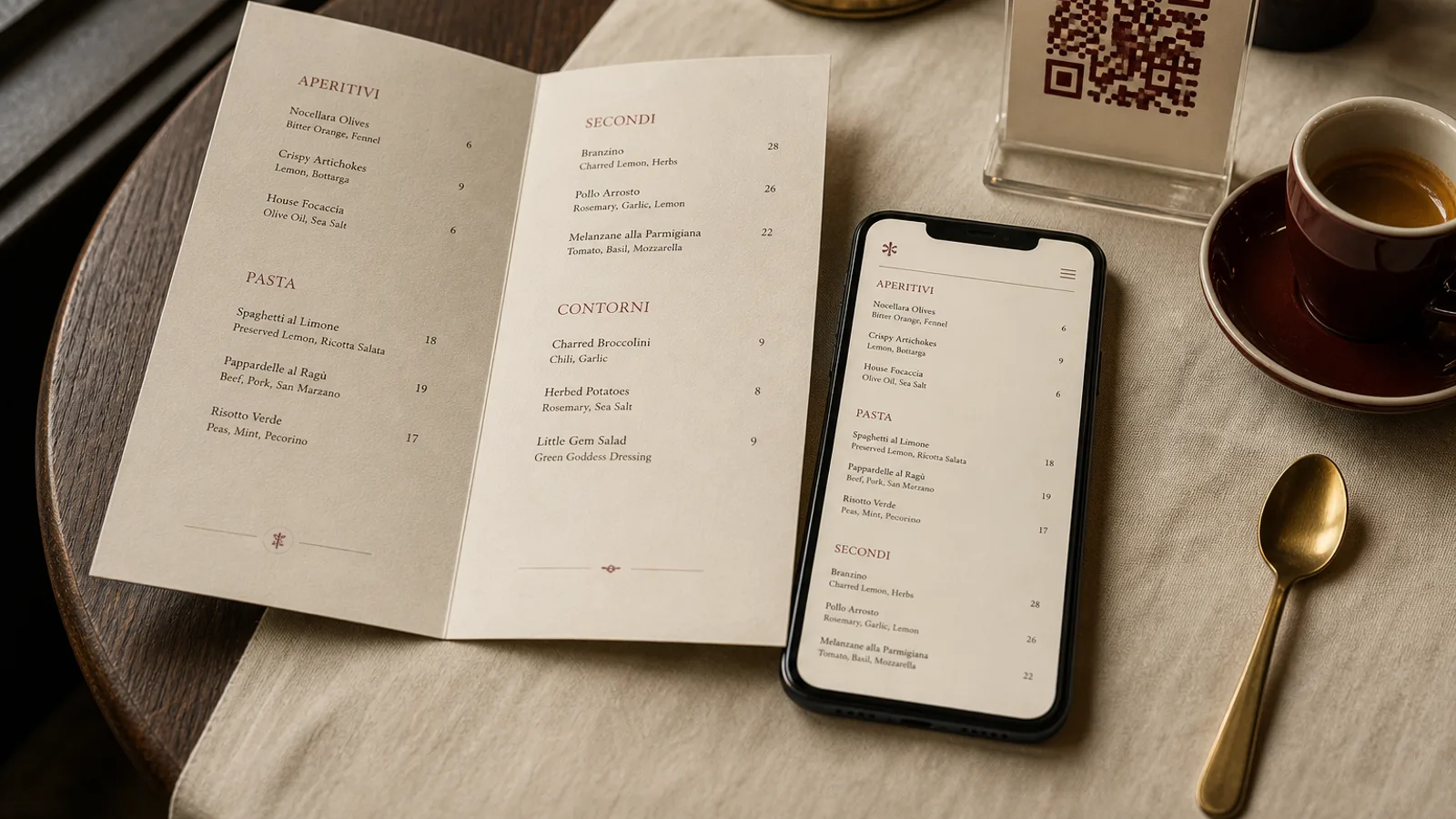
Print and digital are not two versions of the same document. They are two jobs. The card on the table has to get a group to a decision in under a minute, in low light, without a login. The page on the website has to be found, read by a screen reader, indexed, and useful at 11 p.m. from a sofa. A house that pastes the same PDF into both places does both jobs badly. A hybrid strategy starts by deciding which list lives where.
The table gets a short, finished object
On the table, print the dishes you can cook tonight and the wines you want to sell tonight. That is usually 20 to 40 food lines and a short drink page, not the 80-line encyclopedia. Give it a trim size, a fold and a last page. Set type at 10 or 11 pt, prices in the same colour as the names, allergens declared on the line or in a legend the guest can read without a phone. If a dish sells out, a small paper clip-on or a line from the waiter is faster than a web edit the table will never see.
The table card is allowed to be incomplete. It should be. Completeness is the enemy of ordering. Guests who want the rest of the cellar, the lunch formule hours or the allergen matrix in another language can be sent to a URL or a QR that you control. That companion is a tool, not the menu they were asked to share.
The web gets the searchable, updateable list
Online, publish HTML, not a 12 MB scan of last spring’s card. Search engines and accessibility tools read text. A PDF buried in a download button is invisible to both. Put dish names, short descriptions, prices and the 14 allergens of Regulation 1169/2011 in real markup. Mark opening hours, the menú del día or the formule du midi with times, and say whether the online list is the table list or a longer catalogue.
This is also where the long wine list lives, the seasonal story, the private-dining menu and the languages you would never fit on an A5 bifold. Update it when the kitchen changes, not when you next reprint. A guest who booked after reading the site should not sit down to a card that contradicts the page. If the two must differ — a shorter table card, a fuller site — say so in one line on both.
One kitchen list, two outputs
The hybrid fails when the chef edits a spreadsheet, the designer edits a layout, and the website editor edits a third file. Prices drift. Allergens vanish. A dish dies in the kitchen and lives online for a month. Keep a single source: a sheet or a tool with name, description, price, section, allergens, and a flag for “on the printed card” versus “online only”. Print and web are exports of that source, not original documents.
- Print: tonight’s food, a short drink page, allergens, cover or service charge, hours if they affect ordering.
- Web: the same food plus the long wine book, extra languages, events, and structured data for search.
- QR on the table: points to the long list or a second language, never to a PDF that pinches on a phone.
- Never: two unrelated prices for the same dish on the same evening.
Who owns the update
Name one person who can change a price in the source and push both outputs. In a small room that is the owner; in a larger one it is whoever already owns the till. Designers and developers should not be in the daily loop. If a reprint takes a week, the web page must be able to move the same day. If the web person is off, the printed card must still be right, because that is what the inspector and the guest will hold.
Two jobs, one offer
Print for the table, digital for the search and the overflow. Keep one list of dishes, two disciplined outputs, and a sentence on each that tells the guest which one they are looking at. The rooms that do this stop apologising for the QR and stop reprinting a novel. The card becomes an object again. The site becomes a tool again. Neither pretends to be the other.
In Menu Atelier the printed card is the object you design, turn in 3D and export with bleed; you can keep a short evening card and a longer lunch card as two formats of the same dishes, and use the downloadable PDF as the master you publish from when the website needs the same names and prices.