Putting your menu on your website: SEO, accessibility and formats
How to publish a restaurant menu on your website so search engines, screen readers and hungry guests can all use it: HTML first, PDF last, structured and dated.
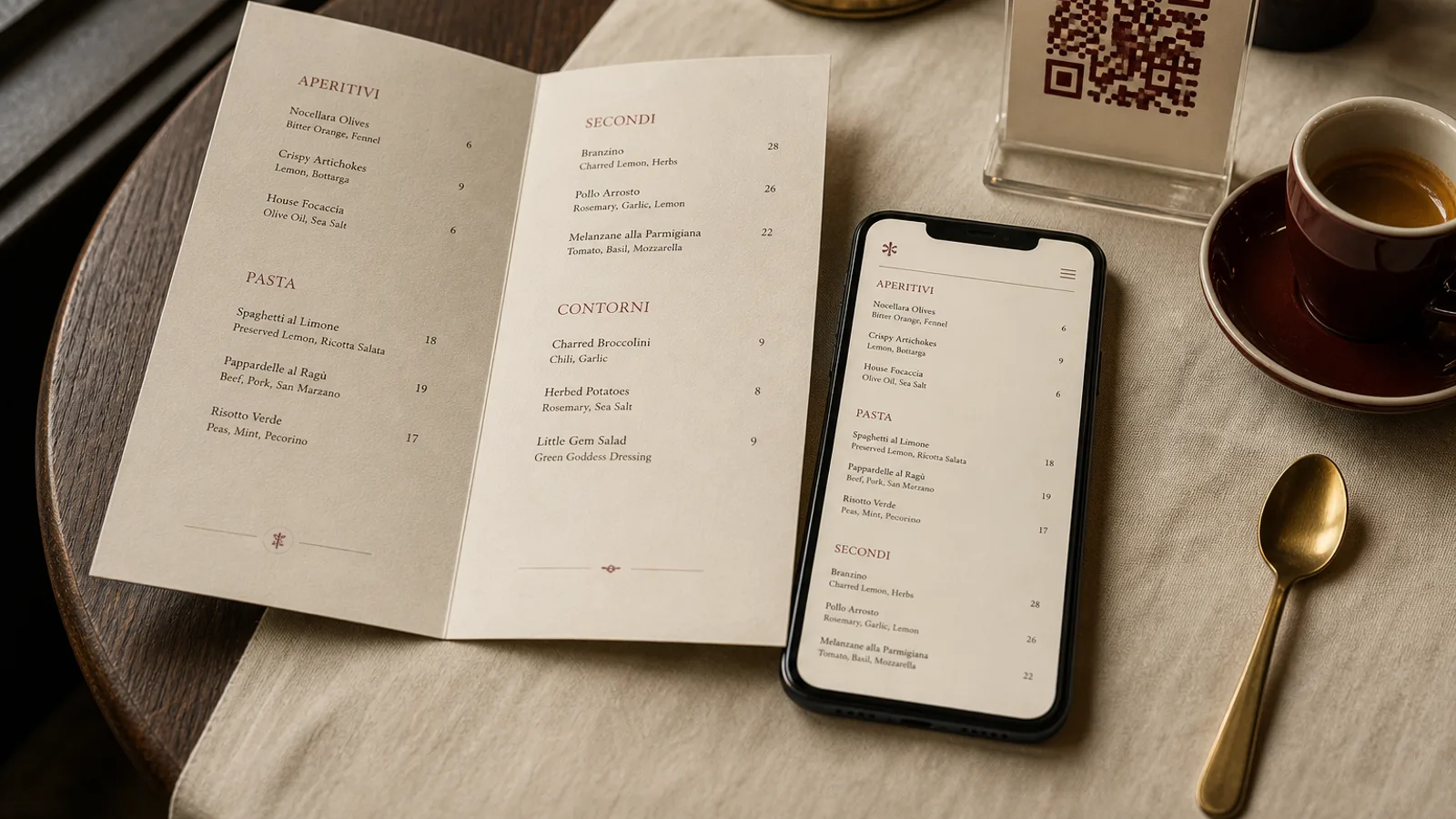
A guest who types the name of your restaurant plus “menu” wants a list they can read in ten seconds, not a 14 MB scan of a folded card photographed on a table. Search engines want the same thing: text, headings, prices, and a date that is not last April. Accessibility tools want real markup, not an image of type. The website menu is not a souvenir of the printed card. It is a public document with different rules.
HTML first, always
Publish the dishes as HTML. Each section is a heading. Each dish is a name, a short description, a price and, where required, allergens. That page can be indexed, translated by a browser, read aloud, and updated at 11:40 when the kitchen scratches a line. A PDF can sit next to it as a download for the guest who wants to print at home. It must not be the only version. A PDF of a designed card is a picture of a menu; it is not a menu on the web.
If you already have a designed file, do not photograph it. Retype the list, or export text from the source. Photographs of menus fail contrast checks, fail zoom, and fail anyone on a slow connection. They also freeze last season’s prices in the search results for months after you changed them.
What search engines actually use
The useful signals are ordinary. A title that includes the restaurant name and the word menu. A heading structure that matches the meal. Prices in a consistent format, with currency. An updated date on the page, not only in the footer of the whole site. If you use structured data, Menu or Restaurant markup with the dish names you actually serve is enough; invented rich results and fake star ratings are not. Do not hide the list behind a “view menu” button that loads a gallery.
Local search still leans on Google Business. The dishes you put there should match the website, which should match the card. Three different roast chickens, three different prices, is how you train the internet to distrust you. When you reprint, update the site the same day. When you change the site, reprint or add a line on the card that the online list is longer.
Accessibility is not a separate project
A website menu that cannot be read by a screen reader, cannot be enlarged, or sits in pale grey on cream, is not published. Use real headings, not bold paragraphs. Keep contrast at a ratio the type can survive on a phone in sunlight. Do not rely on colour alone for chilli heat or vegetarian marks; add a word or a letter. Make the allergen information available as text, not only as a hover. If you offer a PDF, it needs a text layer and a sensible reading order, not a flattened image.
- One HTML page per current menu (or clear anchors): lunch, evening, drinks — not a slideshow.
- Type that scales; no text locked into a canvas that pinches.
- Prices and allergens in the document, not only in a caption under a photo.
- A visible date: “Updated 4 September 2026” is more useful than “follow us for specials”.
Formats guests actually download
If you offer a file, offer a single-page A4 PDF of the current list, text-based, under 2 MB, named with the restaurant and the month. Do not offer a ZIP of a 3D model, a PNG per face and an editable source unless the guest asked to print the designed card. Those files are for you and for production. The public download is a readable list, not the print bundle.
A public list that stays true
Treat the website as the searchable, accessible, dated version of the offer, and the printed card as the object on the table. They share names and prices. They do not share a file format. A guest who found you on a phone at midnight and a guest who sat down without looking should meet the same dishes, the same numbers, the same allergen list. When both are honest, a guest who booked from the sofa sits down to the same dinner they already chose. That is the whole job.
In Menu Atelier you design the printed card and export a 300 dpi PDF with bleed for production; keep a simple HTML list on the site with the same dish names and prices, and use the 3D preview only in the studio, not as the file you ask a guest to open on a phone.