QR code menus vs printed menus: what guests actually prefer
What guests do when you offer a QR code instead of a printed menu: speed, sharing, older diners, and when paper still wins the table.
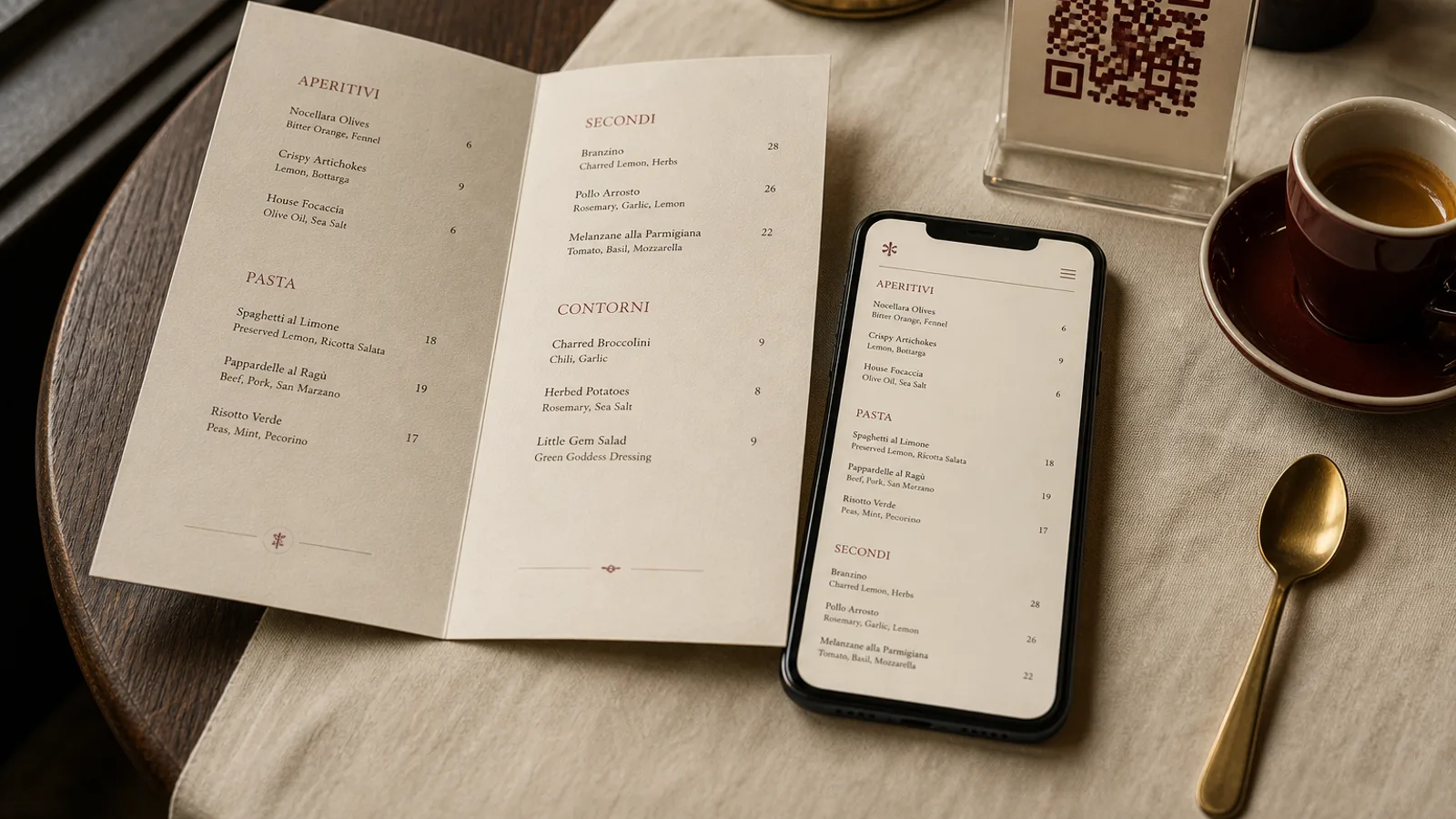
Put a QR code on the table and watch the first thirty seconds. One guest unlocks a phone, another waits, a third cannot find glasses, a fourth has no signal. The printed card that used to take ten seconds to open now takes a minute and a conversation about whose phone to use. That is not a technology problem. It is a service problem you chose when you removed the object from the table.
What guests do, not what they say in surveys
Ask people if they like QR menus and a fair number will say yes, especially under forty. Watch them order and the picture changes. Sharing a phone across a table of four is slower than passing a card. Comparing two dishes means pinching and scrolling. A guest who wants the wine list has to leave the food page. Couples stop talking while one person becomes the designated reader. The order takes longer, and the table feels less like a restaurant and more like a form.
Older guests, and anyone who left their phone in a bag, are not a niche. In a room that mixes generations they are often the ones paying. A QR-only policy tells them the house designed the evening for someone else. A printed card in 11 pt on uncoated stock costs little and removes that message. If you also offer a QR for the guest who prefers it, you have not doubled the work; you have given two ways in.
Where a QR code is the right tool
A QR code earns its place when the list changes faster than you can reprint, or when the object would be too long to hold. A tap list with twenty rotating beers, a daily catch board, a tasting menu that shifts at lunch: those belong on a screen the waiter can update at 11:40. A 40-page wine list with vintages and allocations belongs online, with a short printed page of the wines you actually want to sell tonight.
Hygiene was the argument in 2020. It is a weaker argument now. A laminated card wiped between services is as clean as a phone that has been on the metro. Guests who still prefer not to touch a shared card can use their own phone; that is a reason to offer a QR, not a reason to abolish paper.
- Use a QR for lists that change daily or hourly: beers, specials, sold-out dishes.
- Use a QR as a second language or a full wine book, not as the only food menu.
- Print the URL in 8 pt under the code so a guest can type it if the camera fails.
- Never make the QR the only path to allergens; Regulation 1169/2011 still applies on paper or on screen.
Where paper still wins the table
Paper is faster to scan as a group. Four people can look at the same spread. The eye finds the section, the dish, the price, without a loading spinner. A well-set A4 or A5 bifold has a beginning and an end; a web page has neither, and guests undershoot, ordering from the first screen they see. That is why QR rooms sell more of whatever sits at the top of the page and less of the dishes the kitchen is proud of halfway down.
Paper also holds the brand. Weight, fold, type and paper colour are decisions a guest feels in the hand. A 350 g matte card with a scored bifold says something a responsive website cannot say in the first two seconds. If the room is the product — a trattoria, a bistro, a cocktail bar with an Art Deco card — removing the object removes part of the room.
The hidden cost of QR-only
A QR menu is never finished. The page must work on a cracked Android, on a full iPhone battery, on hotel Wi-Fi, in a cellar with one bar of signal. Type that looks fine on your laptop is 12 px on a guest’s phone. Photos that load slowly become a menu of grey boxes. Someone on the team has to keep the page in step with the kitchen every day. A printed card that is wrong is embarrassing; a QR page that is wrong, slow or broken is a table that does not order.
A preference you can design for
Guests prefer the path that lets the table decide together in under a minute. For most rooms that path is still a printed card, with a QR as a companion for the long list, the second language or the guest who asks for it. Design the paper as the main object. Keep the code small, printed, and optional. If the only menu in the room is a square on the table, you have asked every guest to bring their own lighting, their own type size and their own patience.
In Menu Atelier you design the printed card first, turn it in 3D to check the fold, and export a print-ready PDF; the same dishes can feed a simple online list if you want a QR companion, without making the phone the only way to order.